 Play the 41-second campaign walkthrough
The minimum useful maintenance log
A maintenance log should answer three questions without detective work: what happened, what proved it, and what needs attention next.

Vehicle & Asset Maintenance Intelligence
Keep maintenance history, receipts, costs, mileage, and reminders with the right machine in one iPhone app.
Join the beta list Watch the tour
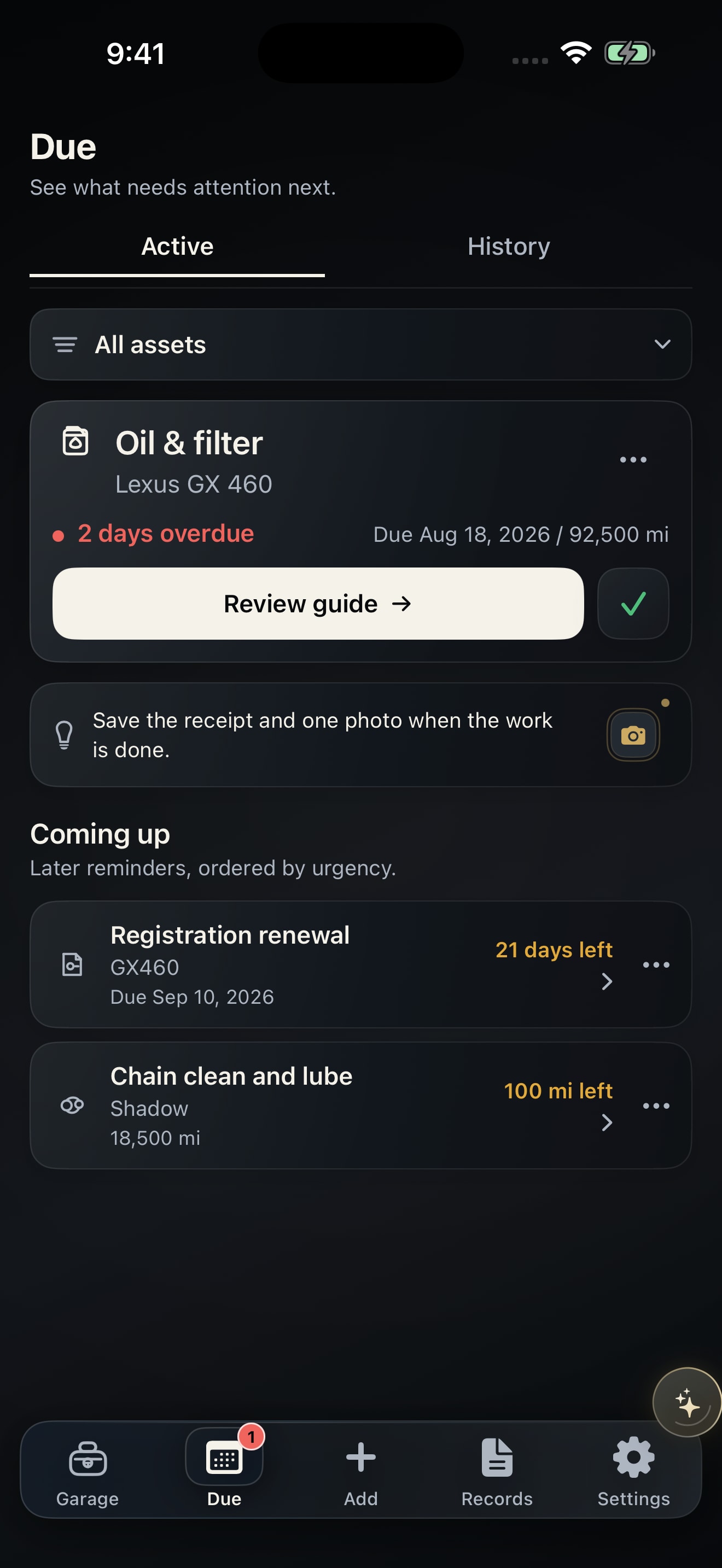 Inside ServiceVaultA clear view of what’s next.See the app screensDemo iPhone build
Real screens from the current iPhone build. All examples use demo data.
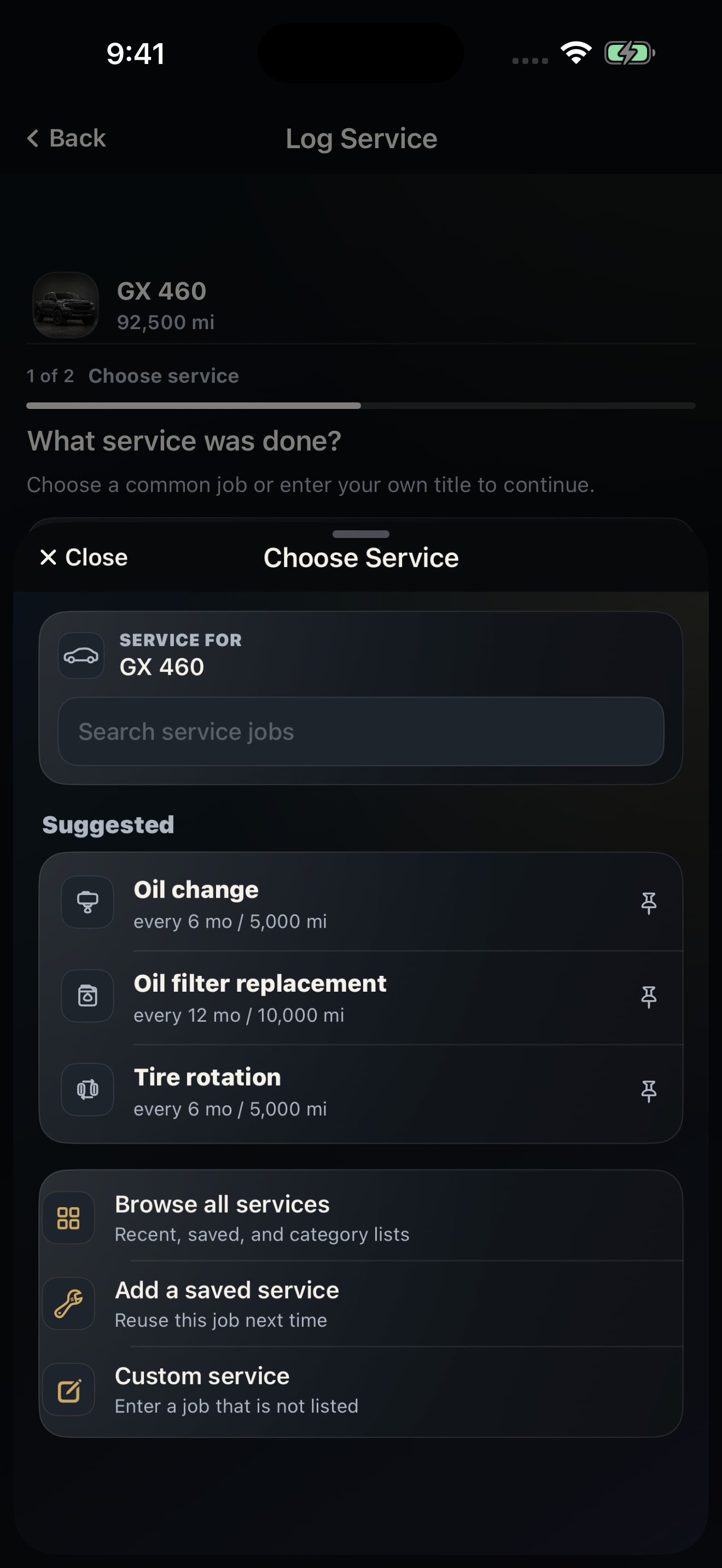
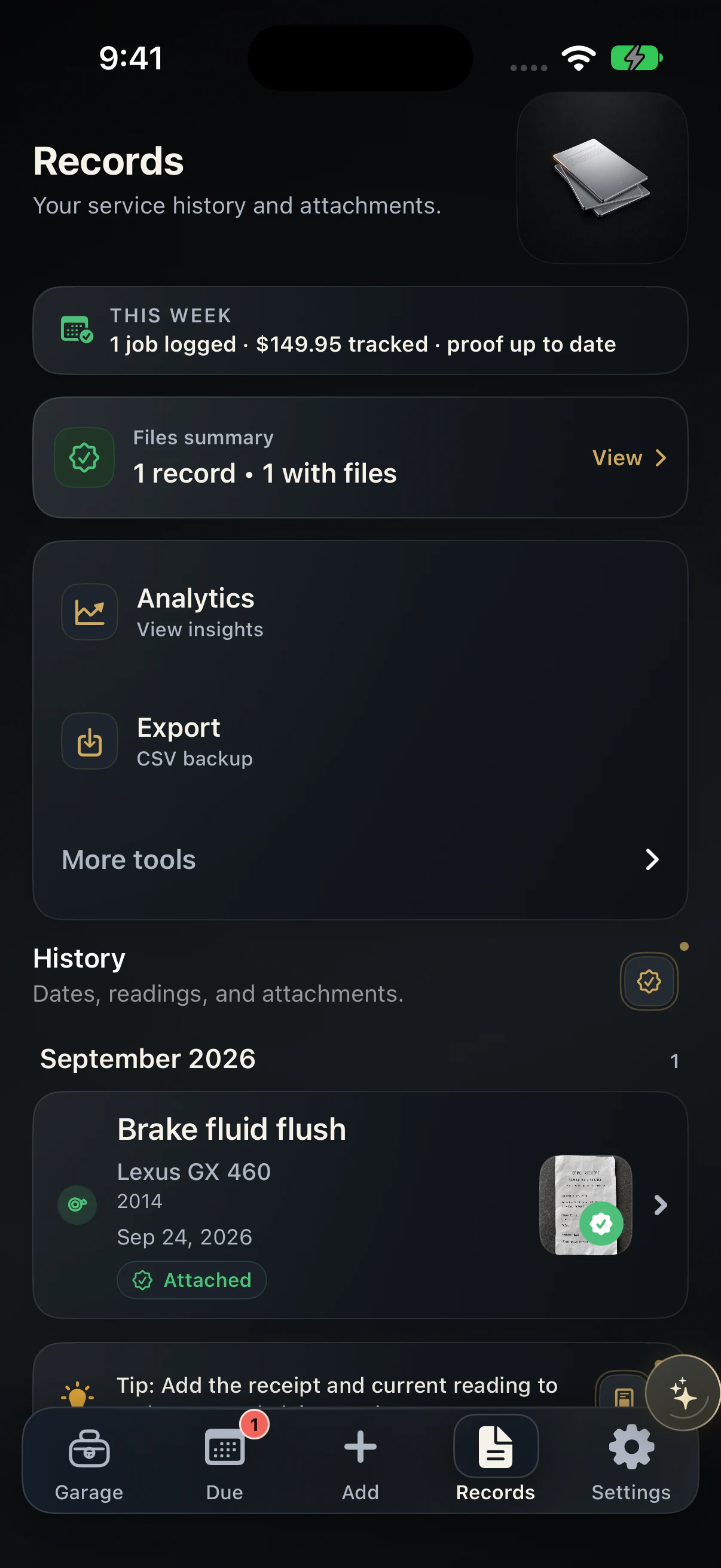
Service details and supporting proof stay connected to the matching machine, ready when you need the full story.
ServiceVault Pro
Move from saved records to clearer next steps with Smart Capture, analytics and reports, optional backup and sync, and Vault Assistant.
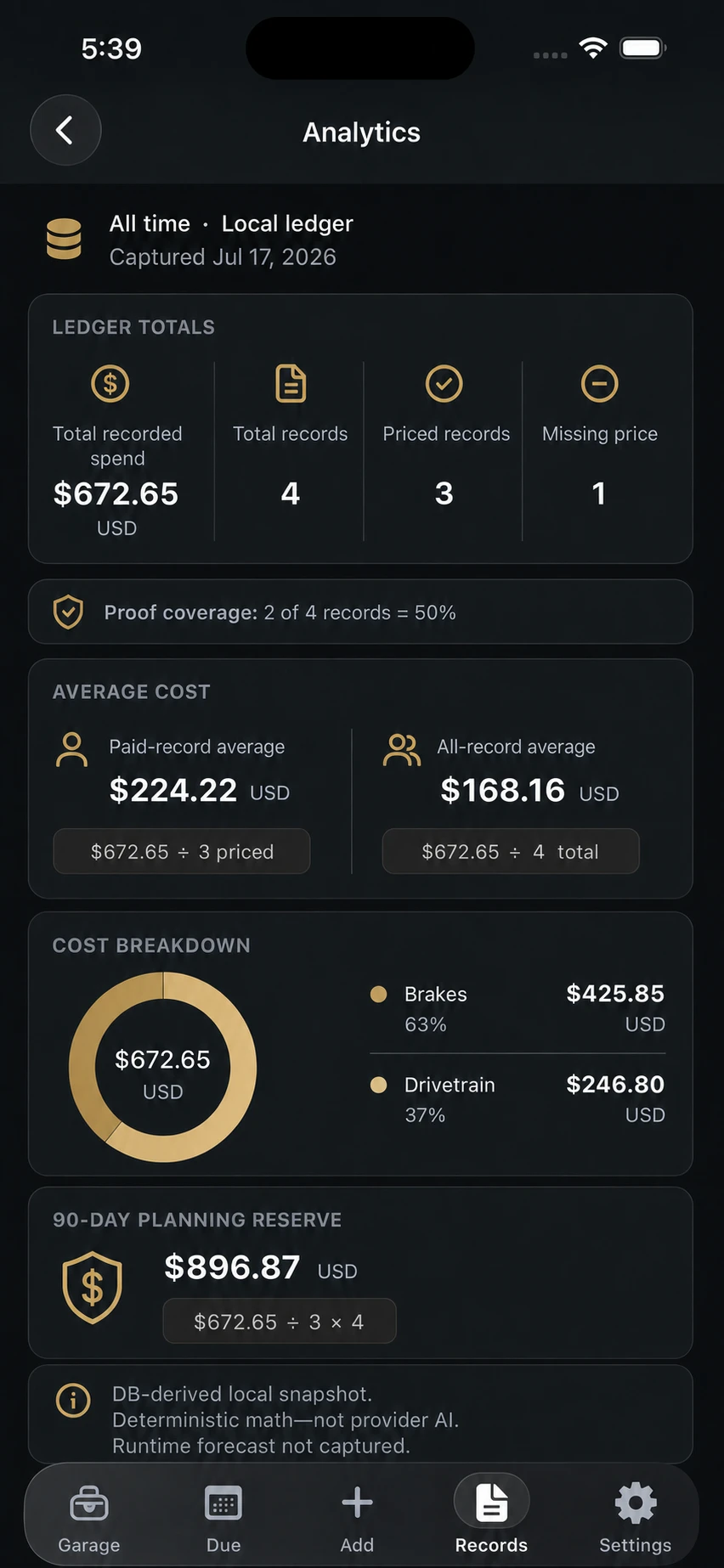
See cost trends, proof coverage, ownership reporting, and the source records behind every number.
Ask Vault Assistant to draft a new service record from a matching past job. Review or edit every field, then confirm Save.
For an existing record, compare the before and after, then choose Update record. Its ID and receipts stay attached.
Review details pulled from receipts and documents before they become a service record.
Understand costs, maintenance patterns, proof coverage, and exportable reports.
Keep backup and sync under your control when Pro is enabled.
U.S. launch pricing. Pro subscriptions are not available yet.
$0. No account required.
$4.99 per month or $39.99 per year.
14-day Pro Preview: on-device Pro tools only; no subscription, cloud backup, hosted AI access, or full Pro trial.
Beta Pro: approved, email-confirmed accounts can receive 90 days of normal Pro access without automatic billing.
Teams: a separate private preview for larger workspaces, available by invitation only with no self-serve purchase.
This website does not sell Pro or start a purchase. An eligible iPhone build will show the current localized App Store offer, renewal terms, and availability before purchase.
Current as of September 30, 2026. Pro is available only in eligible signed-in beta builds. There is no public App Store launch or website purchase yet.
Service history, receipts, photos, costs, notes, and reminders stay attached to the right machine.
Cars, electric vehicles, motorcycles, boats, aircraft, and equipment.

See how ServiceVault organizes every machine, records completed work, keeps the proof, and shows what is due next.
Availability and access
ServiceVault is being prepared for a private iPhone beta. Here is what works on-device, what stays free, and how Pro testing works.
Not yet. ServiceVault is preparing a private iPhone beta. Join the beta list for updates when TestFlight opens.
Cars, electric vehicles, motorcycles, RVs, boats, trailers, generators, aircraft, and other equipment.
No. Core record-keeping works on-device without an account or cloud sync. Your vehicles, records, readings, reminders, and attachments stay on your iPhone.
The free On-device experience supports up to three active assets, core maintenance records, service history, basic due reminders, and CSV export.
Yes. CSV export remains free. PDF reports are a Pro feature still in testing and are not for sale yet.
Pro features are available only in eligible signed-in beta builds. Pro is not for sale on this website, and there is no public App Store build yet. Eligible iOS builds show actual access, pricing, and terms.
Your maintenance vault works on-device without an account. Joining the list only signs you up for beta updates.
Tally hosts this form. Request deletion. Privacy overview.
If the form does not open, email support@getservicevault.com.
Every guide lists the manuals and public sources used. Read the publishing method.
A maintenance log should answer three questions without detective work: what happened, what proved it, and what needs attention next.
Save the record you will need next: the completed job, the document behind it, and the reminder that follows. Everything else can stay out of the way.
The best reminder follows how the machine is actually used and keeps the applicable manual or schedule close by.
Free maintenance log template: print a blank sheet or download the CSV.
ServiceVault community
Follow the public roadmap, known issues, current test prompts, and recent changes in one place. Feedback stays private unless it is deliberately curated and de-identified.
Votes guide priorities, but they do not guarantee delivery.